 Part of the Tucario Family
  Built for Salesforce Admins
 Translate your entire Salesforce org in minutes, not months.
Native desktop app for macOS and Windows. Scan any org, batch-translate with Gemini, Mistral, or DeepSeek, and deploy straight back to Salesforce. No spreadsheets. No Workbench. No Apex.
Free download · Free tier on signup · No credit card
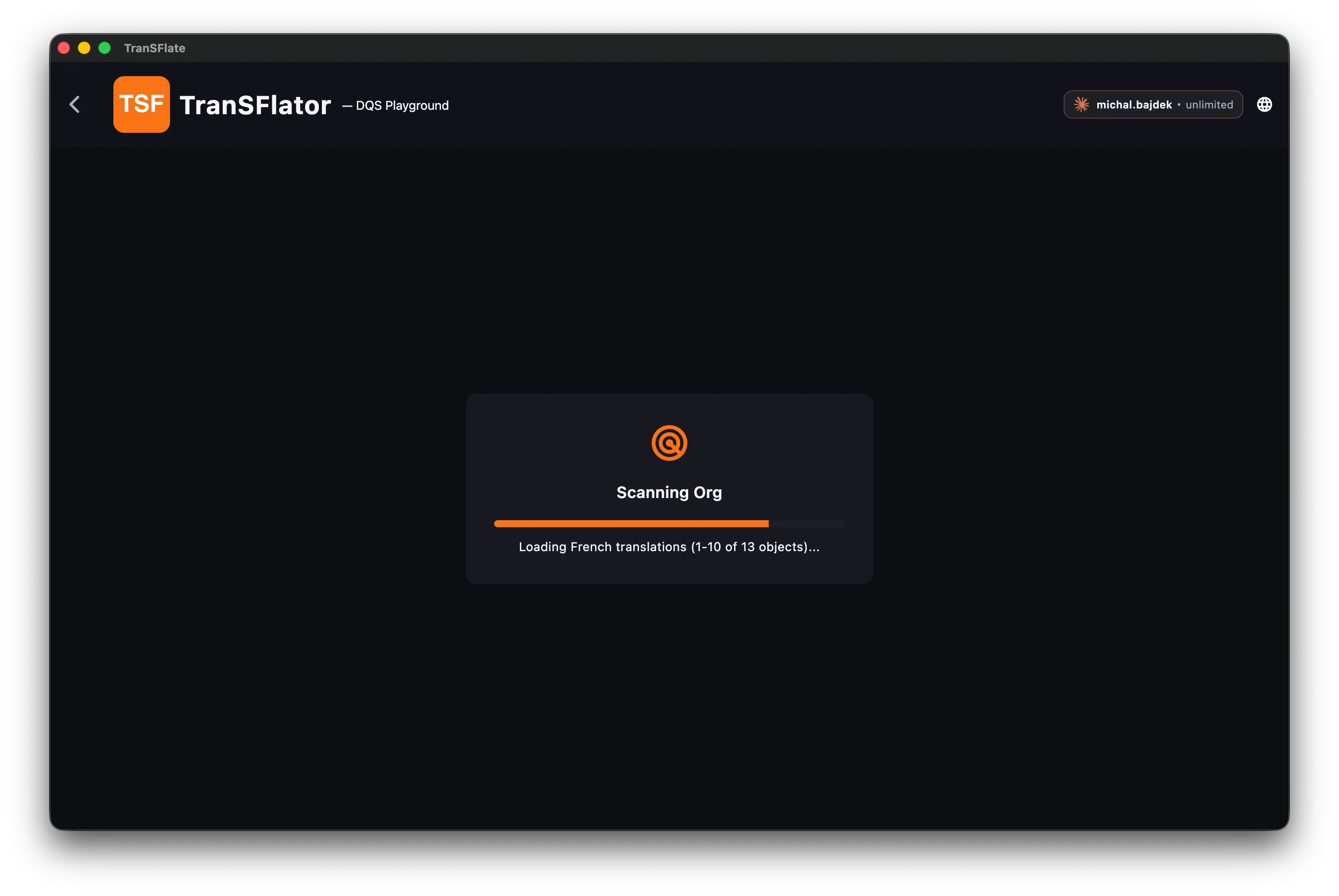
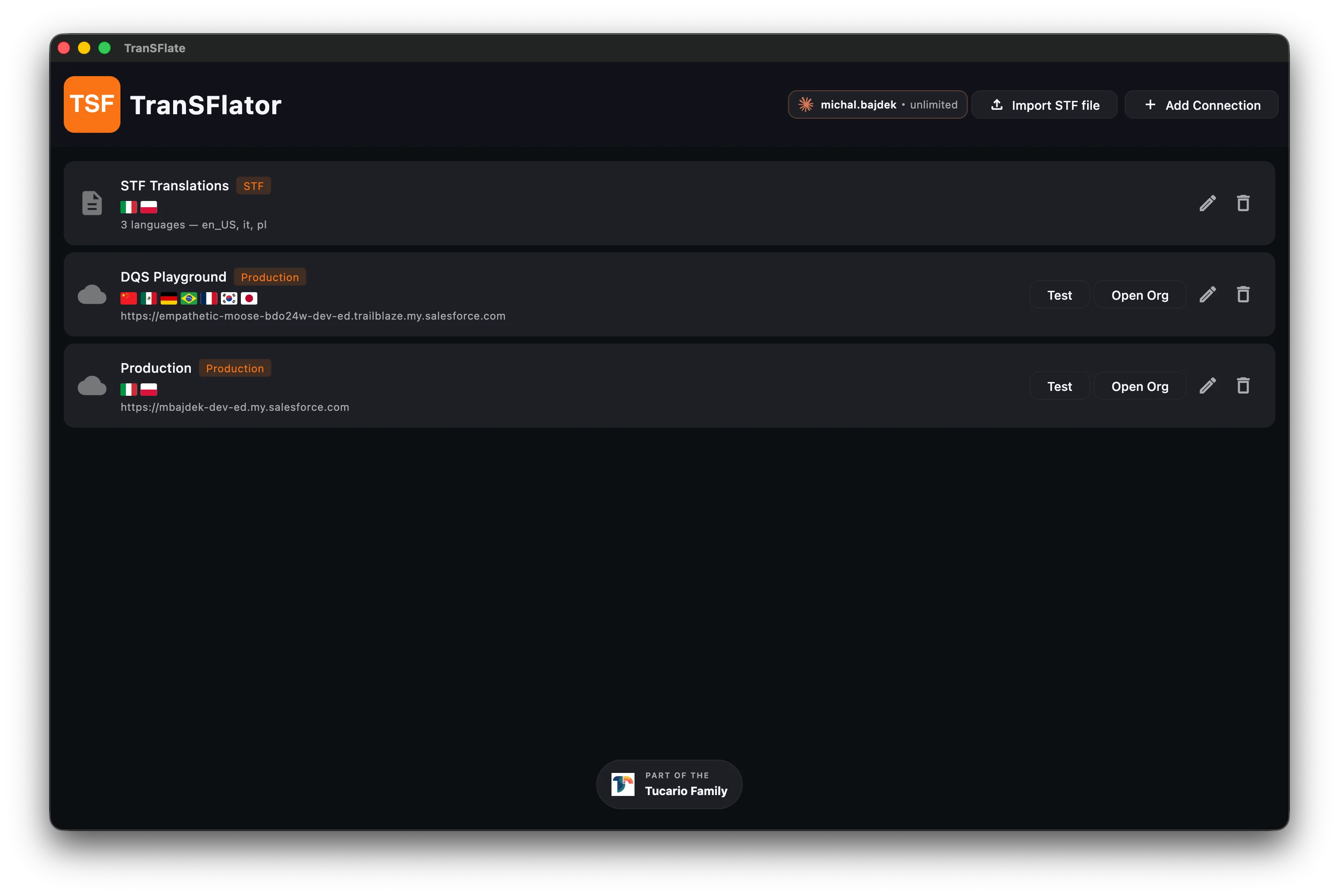
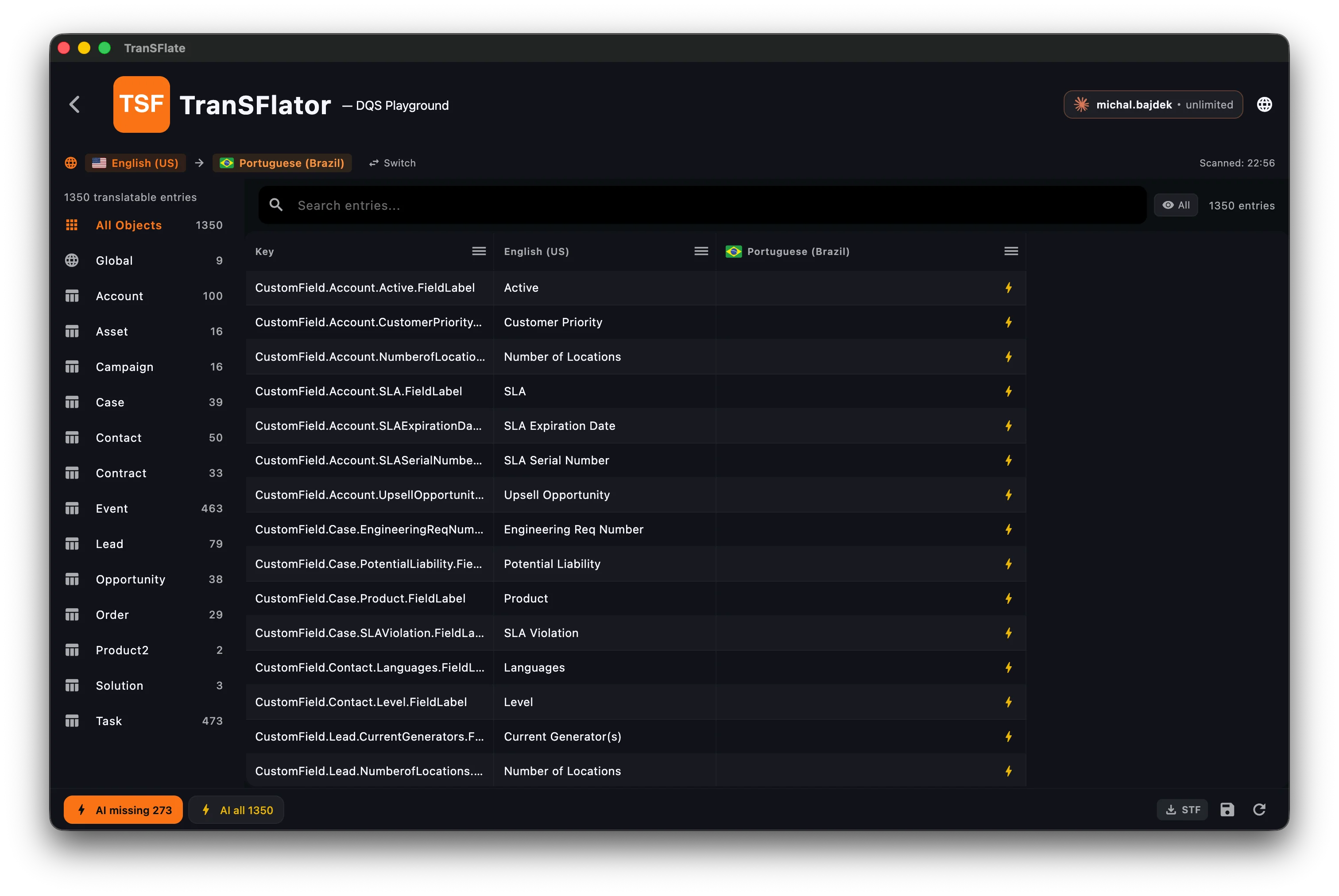
One-click scan pulls every translatable entry from your org.
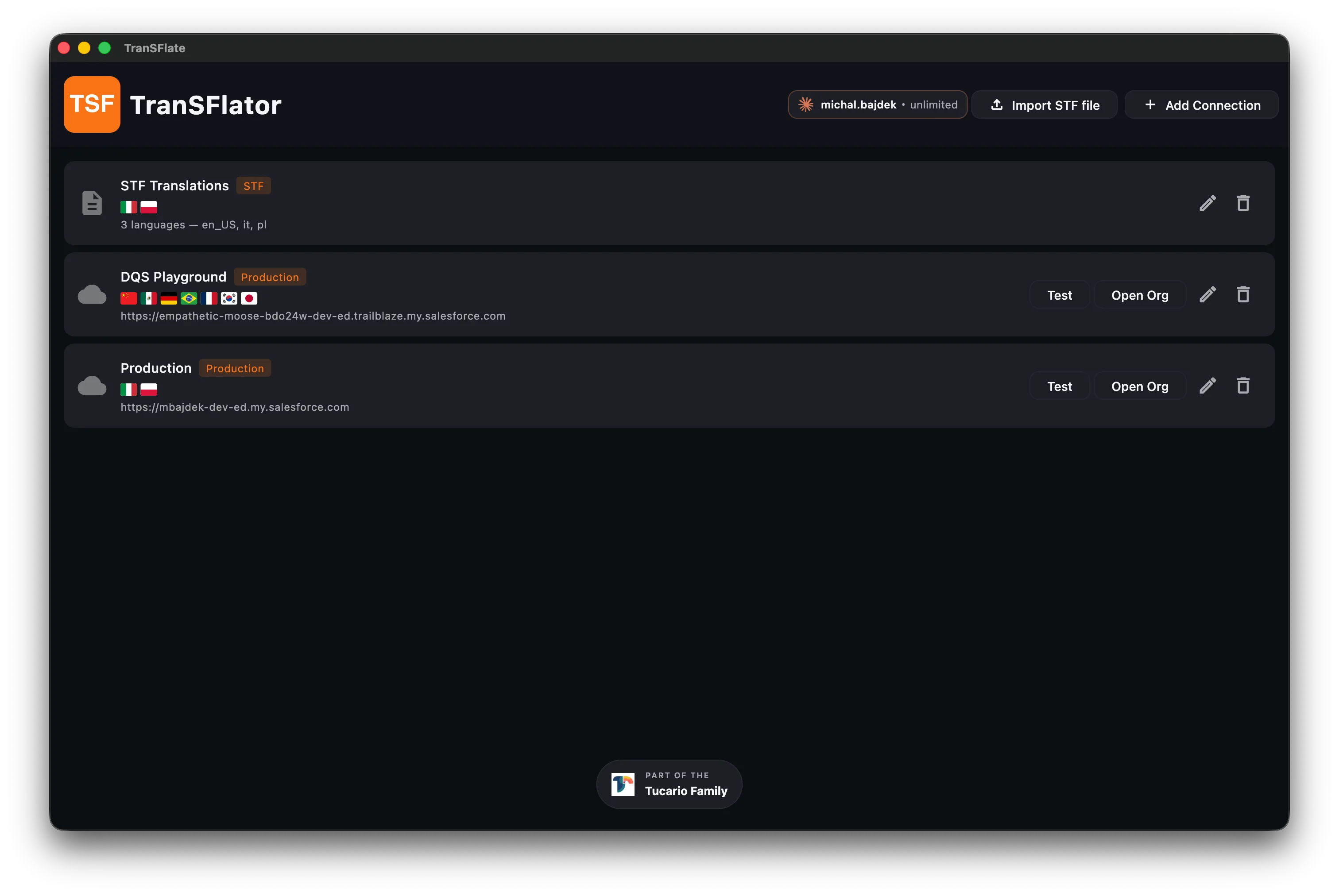
Save your Salesforce connections and jump back in anytime.
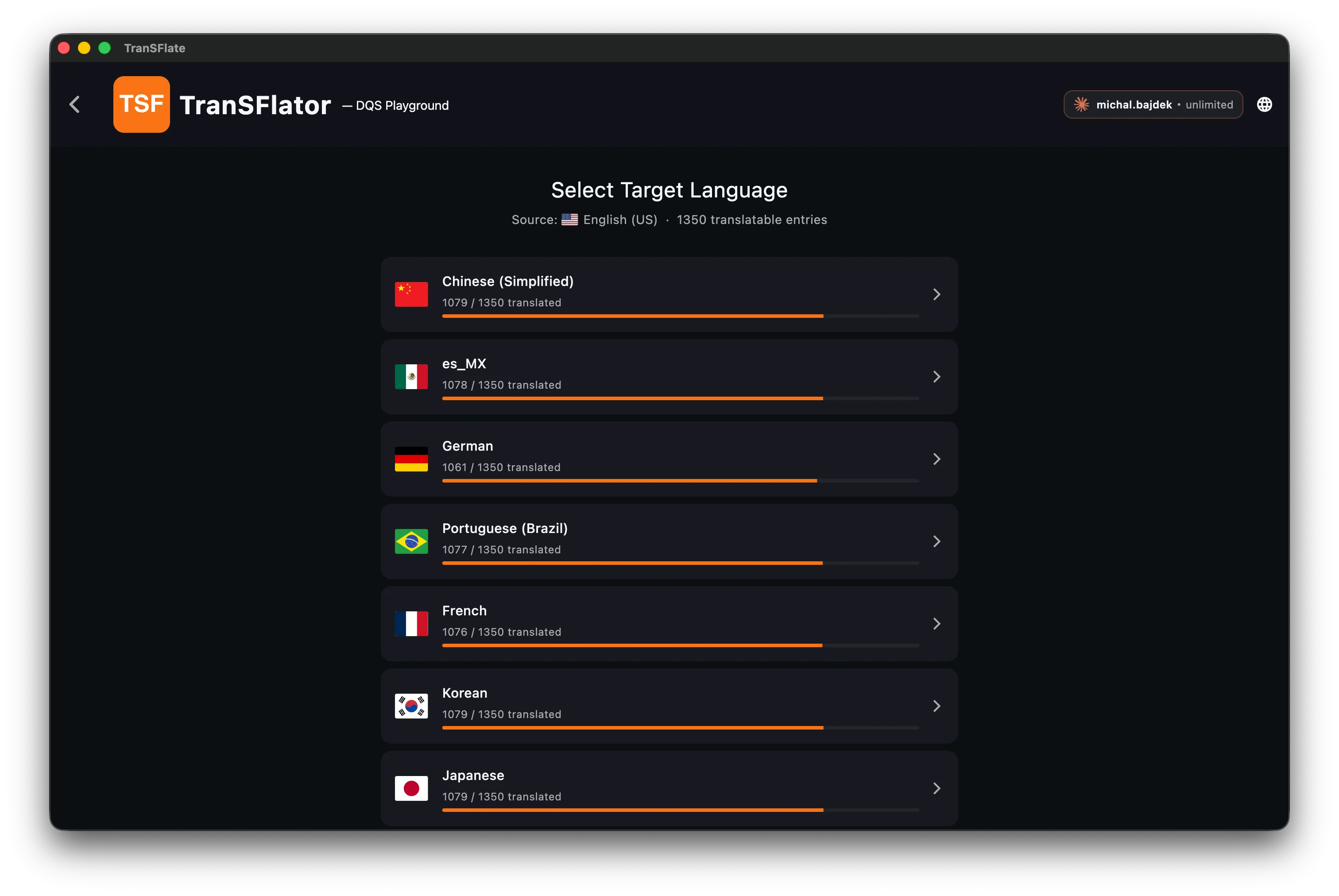
Pick any target language Salesforce supports.
Review every label side-by-side in a fast translation grid.
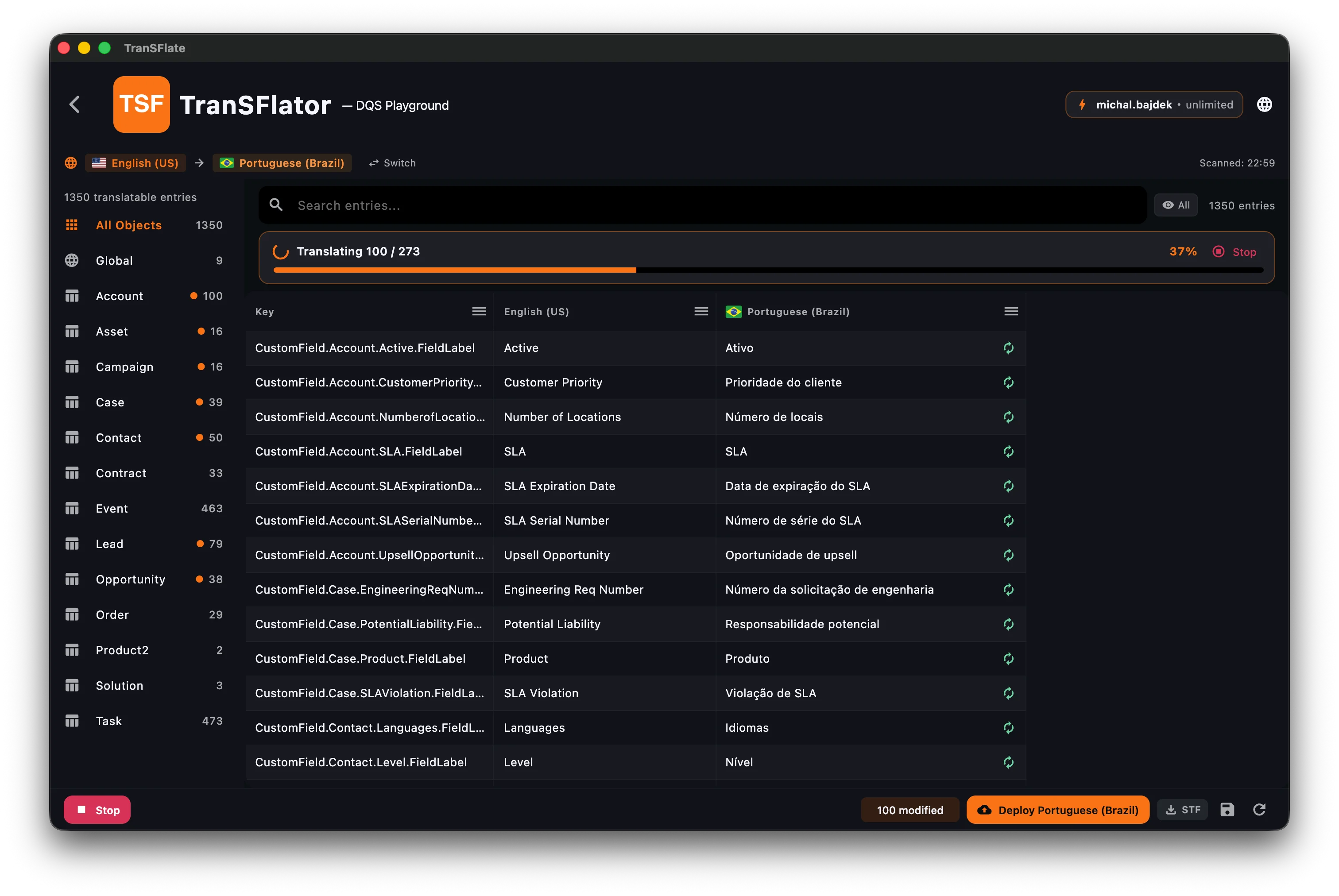
Let AI translate thousands of entries in one run.
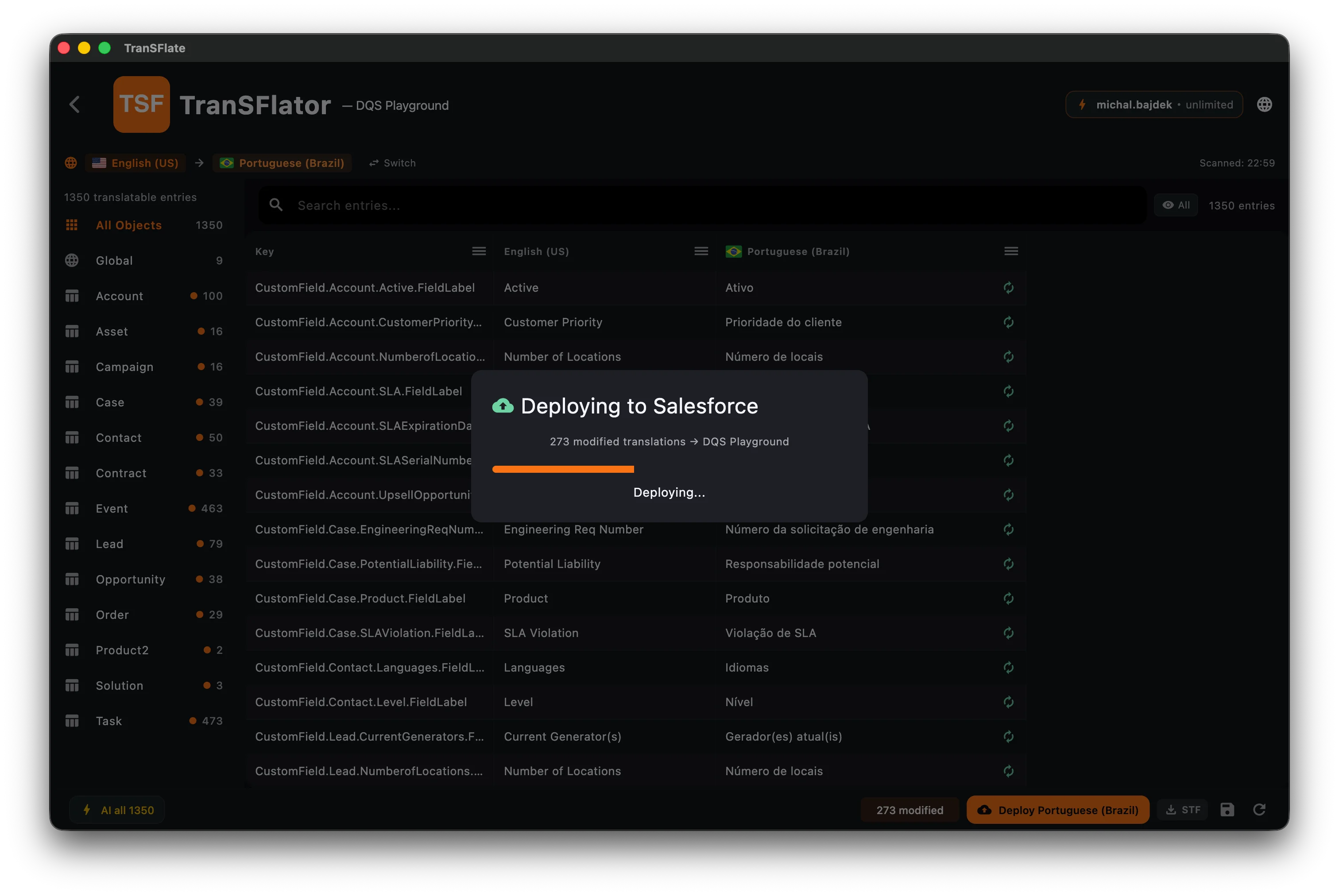
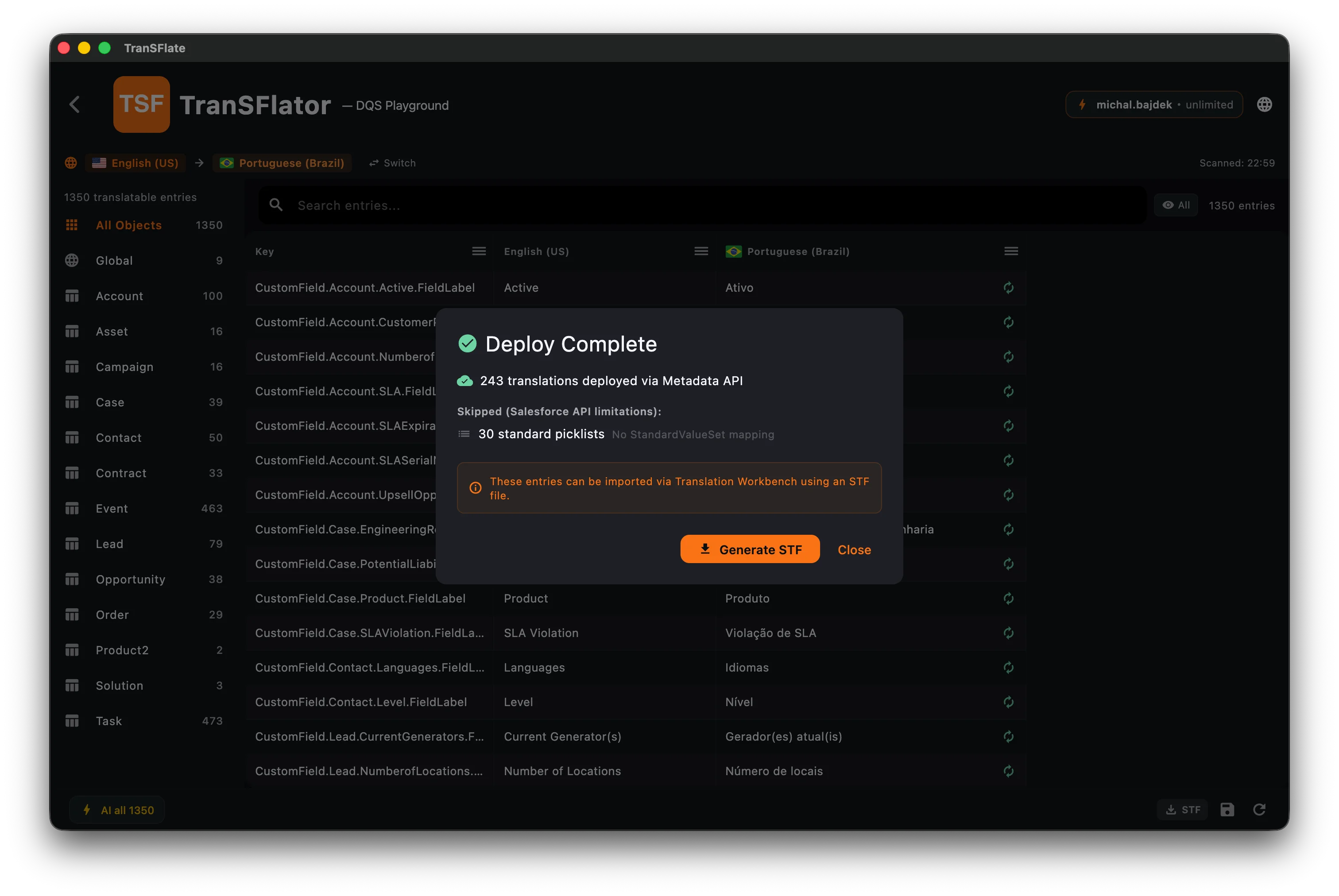
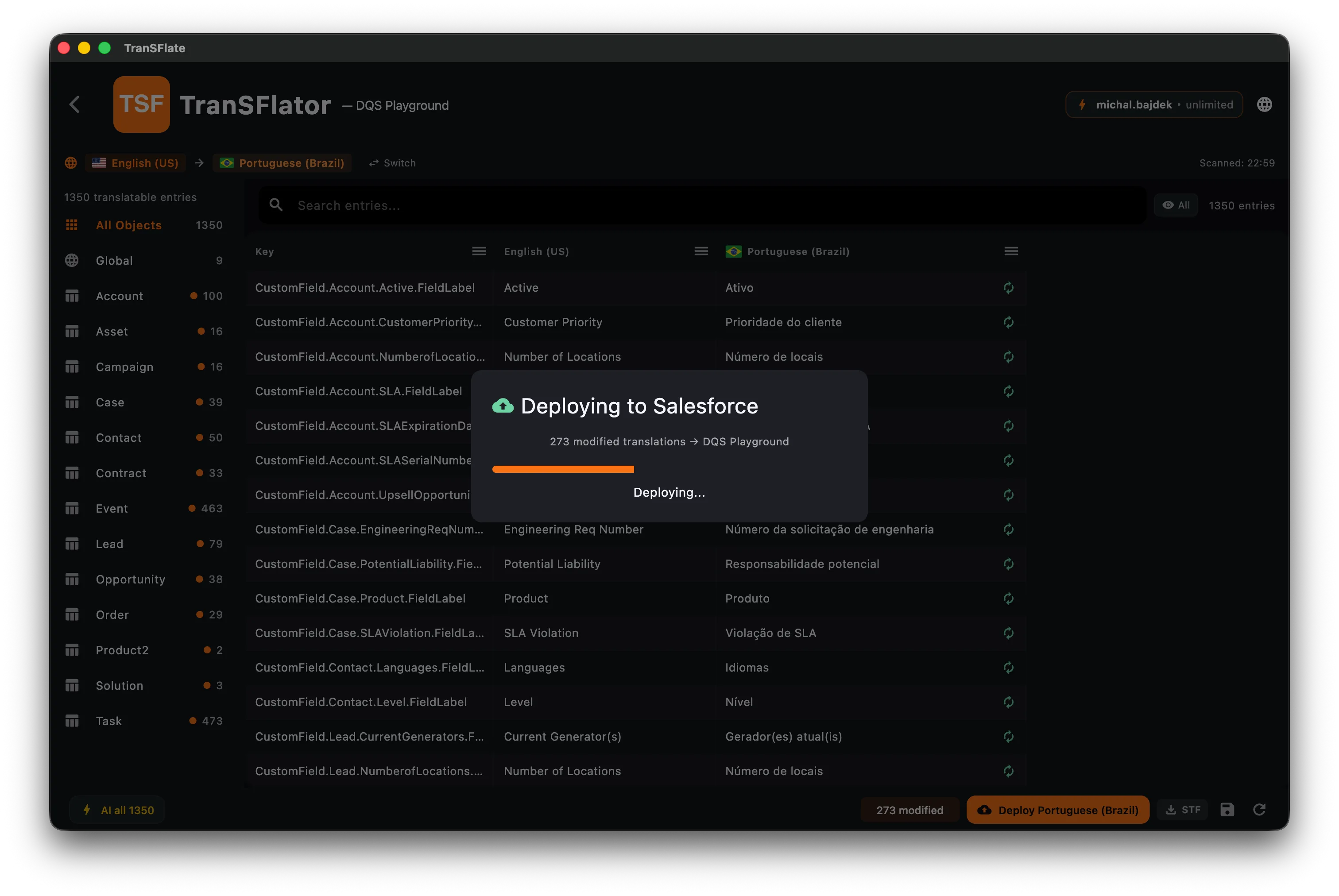
Deploy translations straight back to Salesforce.
243 translations deployed via Metadata API — done.
Powered by the AI engine of your choice



Salesforce translation is still stuck in 2008.
The tools haven't moved on. Admins still mail spreadsheets back and forth, hit cryptic deploy errors, and lose weeks to the same broken round-trip.
Translation Workbench was built in 2008.
It shows. The UI is unchanged, the workflow is brittle, and managed packages still throw cryptic errors no one can debug.
Exporting STF files takes weeks.
Mail to translators, re-import, fix 40-character limit errors, mail again. Admins lose sprints to round-trips.
Every shortcut breaks something.
Managed packages, system fields, picklist edge cases — there's always one component that crashes the deploy and rolls back the rest.
Everything an admin needs. Nothing that gets in the way.
A focused desktop app that does six things well, instead of fifty things badly.
One-click org scan
Connect with OAuth, pull every translatable element across Custom Fields, Picklist Values, Record Types, Help Text, Layouts, Web Links, Validation Rules, and Custom Labels.
AI-powered batch translation
Translate thousands of strings in minutes. Pick your engine: Gemini, Mistral, or DeepSeek. Pick your region: US, EU, Asia, Australia.
Spreadsheet-grade editor
High-density grid built for thousands of rows. Inline editing, search, filtering, missing-only mode. Works offline.
Direct Metadata API deploy
Push translations straight back to Salesforce. Atomic with rollback. Component-level error reporting and skip-and-retry.
STF file workflow
Don't have Metadata API access? Import and export Salesforce-compatible Bilingual STF files. Round-trip safe.
Managed-package safe
Automatically skips managed packages, system fields, and elements Salesforce won't accept. No more cryptic deploy failures.
Three steps. Done in an afternoon.
Connect
Sign in with Salesforce OAuth or import a .stf file. AES-256 encrypted token storage, refresh tokens never leave your machine.
Translate
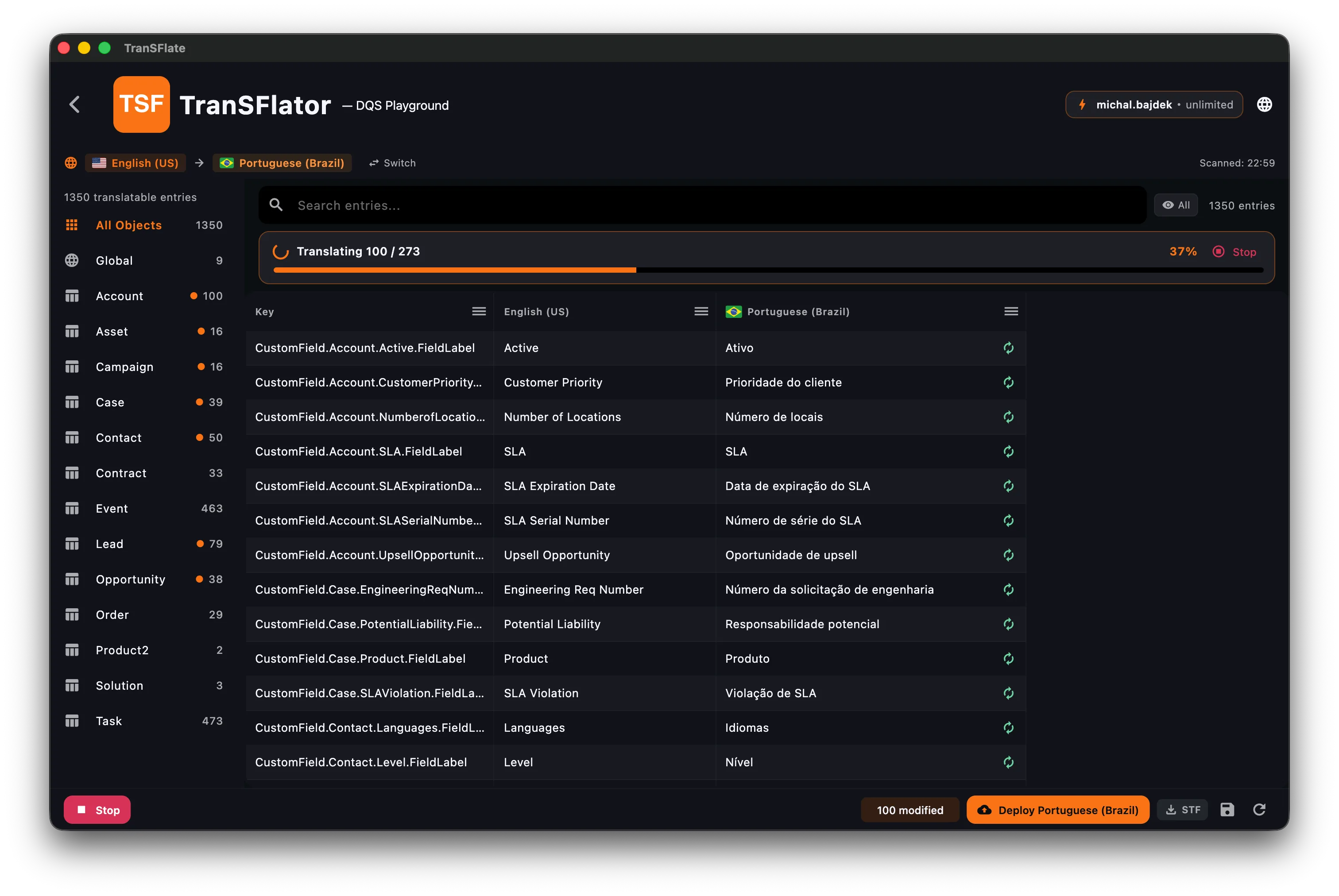
Click "AI All" and watch the live progress banner fill. Cancel anytime. Edit any cell manually if the AI gets it wrong.
Deploy
One click to push back to Salesforce. Or generate an STF file for manual import. Either way, you're done.
Pick the engine that fits your locale.
Translation is never just about the language — it's also about where the data goes, which provider you're legally allowed to use, and which model actually understands the market you're selling into. Transflator lets you choose per org.
Broad language coverage and strong results on everyday business copy. Hosted in the US, available across multiple regions.
European-hosted and EU-governed. The default choice for GDPR-sensitive deployments and customers who need data to stay in the EU.
Exceptional at Chinese, Japanese, Korean, and other CJK languages. Preferred by teams in APAC and mainland China where local models simply perform better.
Regulated industry or GDPR-sensitive? Route translations through Mistral and keep data on European infrastructure. Your legal team will thank you.
Most admins default to Gemini — US-based, enterprise-trusted, and familiar to whoever already signed off on your AI policy.
Teams in China and CJK markets consistently get the best translations from DeepSeek. It is built for those languages and outperforms Western models where it counts.
Switch your favorite engine in your Transflator account — the desktop app picks it up automatically on the next batch. Region picker covers US, EU, Asia, and Australia, so you can keep traffic close to your data center.
How it stacks up.
Swipe the table sideways to see all columns →
| Transflator | Translation Workbench | Spreadsheet workflow | |
|---|---|---|---|
| Setup time | Minutes | Hours | Days |
| Multi-language in one view | ✓ | — | — |
| AI batch translation | ✓ | — | Manual |
| Direct Salesforce deploy | ✓ | ✓ | — |
| Managed package handling | Auto-skip | Errors | Manual |
| Offline editing | ✓ | — | ✓ |
| 40-char limit guard | ✓ | — | — |
| Cost | Free app + PAYG AI | Free (with Salesforce) | Translator fees |
Built like a tool, not a slide deck.
Your tokens stay on your machine.
Transflator is a desktop app by design. We never proxy your Salesforce credentials through a cloud backend, and we never phone home with your data.
OAuth 2.0 with PKCE (S256)
Login runs through the official Salesforce OAuth flow with a per-session code verifier hashed via SHA-256. The callback is handled locally on localhost:1717 — no intermediate server ever sees your authorization code.
AES-256-CBC encrypted refresh tokens
Refresh tokens are encrypted at rest with a 256-bit key generated from a cryptographically secure RNG, a fresh IV per write, and stored in Application Support with chmod 600. Access tokens live only in RAM.
Zero telemetry, zero tracking
No analytics SDKs, no crash reporters, no usage pings. The only network calls the app makes are to Salesforce, your chosen AI provider, and our license API — all over HTTPS.
HTTPS everywhere
Every outbound request uses TLS. The only plaintext hop is the loopback OAuth callback on 127.0.0.1, which never leaves your machine.
Bring your own AI keys & region
Plug in your own Gemini, Mistral, or DeepSeek API key and pick the processing region — US, EU, Asia, or Australia. Strings are sent straight from your machine to your provider; we are not in the middle.
Session validation on every connect
Before any translation batch runs, the app re-validates your Salesforce session against the org's data API. Stale or revoked tokens are detected immediately — no half-applied deploys.
Need a tailored solution?
We also build dedicated Salesforce solutions end-to-end — bulk licensing, custom deploy flows, or anything Transflator does not ship with out of the box. Let us talk.
Free desktop app. Pay only for AI.
Desktop app
FreeDownload and use forever. macOS and Windows. No subscription. No telemetry.
- ✓Unlimited orgs & connections
- ✓Unlimited manual edits
- ✓STF import & export
- ✓Direct Metadata API deploy
- ✓Auto updates
AI translation credits
PAYGBuy AI character credits via the Transflator portal. Free tier on signup. No subscription required.
- ✓Free tier on signup
- ✓All four AI engines included
- ✓Regional model selection
- ✓Pay only for what you translate
- ✓No monthly minimum

Get release notes, not marketing emails.
One email when a new version ships. One email when we add a new AI engine or language. That's it. No drip campaigns, no upsells, no tracking pixels.
What we're building next.
A peek at the bigger bets on our board. Timelines shift, priorities do not.

Local Gemma 4 model
Run translations fully offline on your own machine. No tokens, no egress, no vendor lock-in — ideal for regulated orgs and air-gapped environments where data can't leave the laptop.
- Fully local and private — data never leaves your machine
- GPU-accelerated on Apple Silicon and modern Windows
- Swap between local and cloud engines per batch

CI/CD pipeline translation
Translate on every push. A headless runner plugs into GitHub Actions, GitLab CI, or Bitbucket Pipelines — scan, translate the delta, and deploy metadata back to Salesforce as part of your release flow.
- Incremental translation of changed fields only
- Pull-request comments with diff previews
- Works with sandboxes, scratch orgs, and production
Does this work with Salesforce Professional, Enterprise, and Unlimited?
+
Yes. Transflator works with any Salesforce edition that supports the Translation Workbench (Professional and above). Direct Metadata API deploy requires API access — for editions without it, use the STF file workflow instead.
Do I need Metadata API access?
+
Not necessarily. If you have Metadata API access, Transflator deploys translations in one click. If you do not, the app exports a Bilingual STF file you can import through Salesforce Setup → Translation Workbench → Import.
Where are my translations stored? Does Transflator see my data?
+
Everything stays on your machine in a local encrypted database. Refresh tokens never leave your computer. Translation API calls are the only data that leaves your machine — and only the strings you ask the AI to translate, nothing else from your org.
Which languages are supported?
+
Every language Salesforce supports — over 80 — across all four AI engines. Pick any source/target combination from the language switcher in the grid.
Can I edit translations after the AI generates them?
+
Yes. The grid is fully editable. Hit AI All for a first pass, then refine any cell manually. Modified cells are highlighted, and a footer counter shows how many rows are still missing.
What about managed package fields?
+
Transflator auto-detects managed package elements and excludes them from deploys. Salesforce rejects translation changes on managed components, so the app stops you from making mistakes that would surface as cryptic deploy failures.
macOS only? Linux support?
+
macOS and Windows are first-class native builds. Linux is not supported in v1, but it is on the roadmap if there is demand.
How much do AI credits cost?
+
Pay-as-you-go via the Transflator portal. New accounts get a free tier. There is no subscription — buy character credits as you need them. See pricing on the portal.

Stop round-tripping spreadsheets.
Download Transflator, scan an org, and have your first translations deployed in under an hour. Free forever for the desktop app.